
If you’ve ever put off setting up two-factor auth because you were ‘getting to it,’ this is the push you need. Most site compromises don’t come from some genius hacker exploiting a zero-day — they come from a reused password sitting in a leaked database somewhere, waiting to be tried on your login page.
Your admin login is the most attacked page on your entire site
Bots are hitting your wp-admin or hosting control panel login right now, whether you’ve noticed or not. Automated credential-stuffing tools take giant lists of leaked email/password pairs from unrelated breaches and just try them everywhere, including on you. This isn’t personal — it’s volume.
Because it’s automated, the defense doesn’t need to be exotic either. A unique, long password plus two-factor authentication stops nearly all of this traffic cold, because the bot doesn’t have your second factor and never will. The attackers move on to easier targets.
The mistake most site owners make is treating login security as a one-time setup task instead of an ongoing habit. You set a password in 2019, you’ve reused it on three other sites since, and you’ve never looked at it again. That’s the gap you’re closing today.
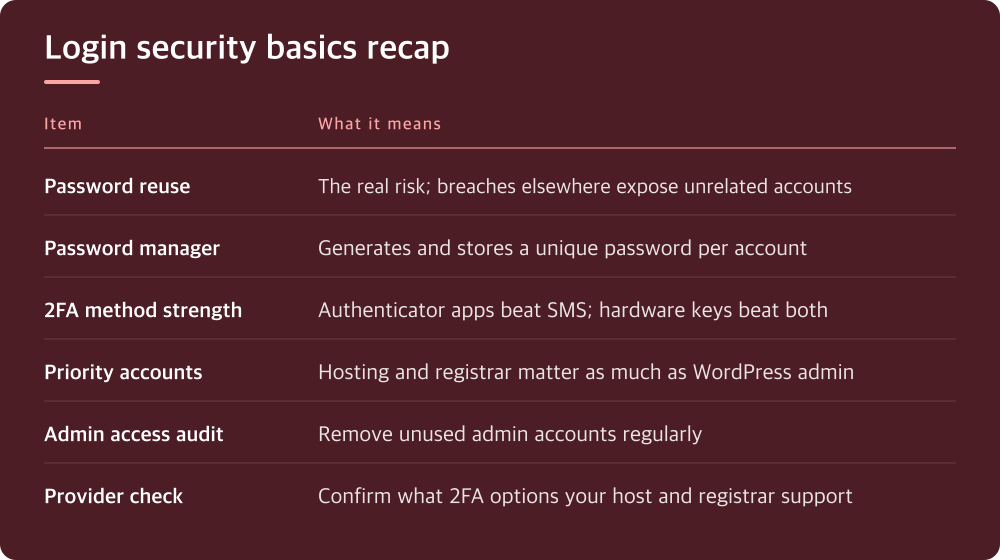
Reused passwords are the actual vulnerability, not weak ones
People focus a lot on password strength — special characters, length, that sort of thing — but strength isn’t the main issue anymore. The real problem is reuse. If you use the same password for your hosting account and some forum you signed up for in 2015, and that forum gets breached, your hosting account is now exposed too.
A password manager solves this in a way that memorizing clever passwords never will. It generates and stores a unique password for every single account, so a breach anywhere else in your digital life has zero effect on your site. You only need to remember one master password.
Check your own habits honestly here. If you can recite your hosting password from memory, it’s probably been reused somewhere, and that’s worth fixing this week, not eventually.
Two-factor authentication is not optional anymore, even for ‘small’ sites
Site owners sometimes assume 2FA is overkill for a small blog or local business site — nobody’s going to bother hacking that. But automated attacks don’t discriminate by site size. A compromised small site is still useful to an attacker for spam injection, malware hosting, or sending phishing email, regardless of your traffic numbers.
Enable 2FA everywhere it’s offered: your hosting account, your domain registrar, your WordPress admin, and any CDN or DNS dashboard you use. These are the control points — if someone gets into your registrar account, they can redirect your entire domain without ever touching your actual site.
Not all 2FA methods are equal, and it’s worth understanding the differences. Authenticator apps (the kind that generate a rotating code) are stronger than SMS codes, because SMS can be intercepted or redirected via SIM-swapping. Hardware security keys are stronger still. Check what your host, registrar, and WordPress security plugin each support, since options vary by provider.
Your hosting account and domain registrar need just as much protection as WordPress itself
People lock down their WordPress login carefully and then leave their hosting control panel or domain registrar account wide open with a reused password and no 2FA. This is backwards, because those accounts sit above WordPress — whoever controls your hosting or your domain controls everything on the site, security plugins included.
Log into your registrar account today and check what authentication options are available under its account or security settings. Do the same for your hosting provider’s control panel. These menus are usually under ‘Security,’ ‘Account,’ or ‘Login Settings,’ though the exact wording depends on who you’re with.
If your registrar or host doesn’t offer 2FA at all, that’s worth factoring into whether you stay with them, especially for anything tied to a business. It’s one of the more telling signs of how seriously a provider takes account security generally.
A WordPress login lockdown should include more than just a plugin
Plenty of security plugins add 2FA and login attempt limits to WordPress, and that’s genuinely useful — but it’s not the whole picture. Also check who has admin-level access on your site right now. Former contractors, old freelancers, that one developer from two years ago — unused admin accounts are standing invitations if their credentials ever leak.
Limiting login attempts and renaming your login URL slightly reduces automated attack noise, but don’t mistake that for real security. It’s a minor speed bump, not a lock. The actual lock is unique passwords plus 2FA on every account that has access.
Review your user list under Users in the WordPress dashboard and remove or downgrade anyone who doesn’t need admin access anymore. Fewer admin accounts means fewer doors for an attacker to find open.
What to actually do today, in order
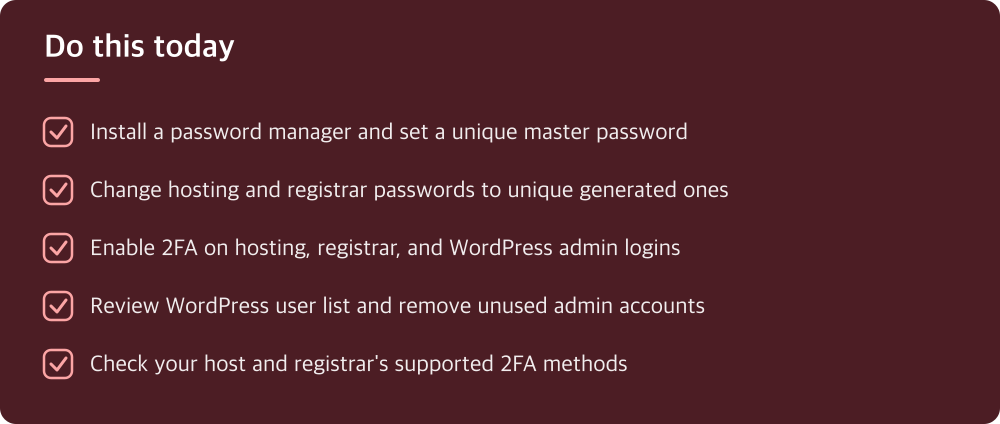
Start with your password manager, if you don’t already use one — get it installed and set a strong unique master password, since everything else depends on this. Then go change your hosting and registrar passwords to unique, generated ones, since these are the highest-value targets you have.
After that, turn on 2FA wherever it’s offered, starting with hosting and registrar accounts, then WordPress admin. This usually takes ten minutes per account and is the single highest-leverage security move available to you today.
Finally, do a quick audit of who has admin access to your site and remove anyone who doesn’t need it. None of this requires a budget or a developer — it’s an afternoon of clicking through settings menus you already have access to.
Do this today
- Install a password manager and set a unique master password
- Change hosting and registrar passwords to unique generated ones
- Enable 2FA on hosting, registrar, and WordPress admin logins
- Review WordPress user list and remove unused admin accounts
- Check your host and registrar’s supported 2FA methods
※ This is informational and not a recommendation of any specific product or company.