

You’re about to hand a stranger your site, your email, and maybe your business. Everyone skips the terms of service and the acceptable use policy, then gets surprised months later when something they assumed was included wasn’t. A few minutes reading the right sections now saves you a migration under pressure later.
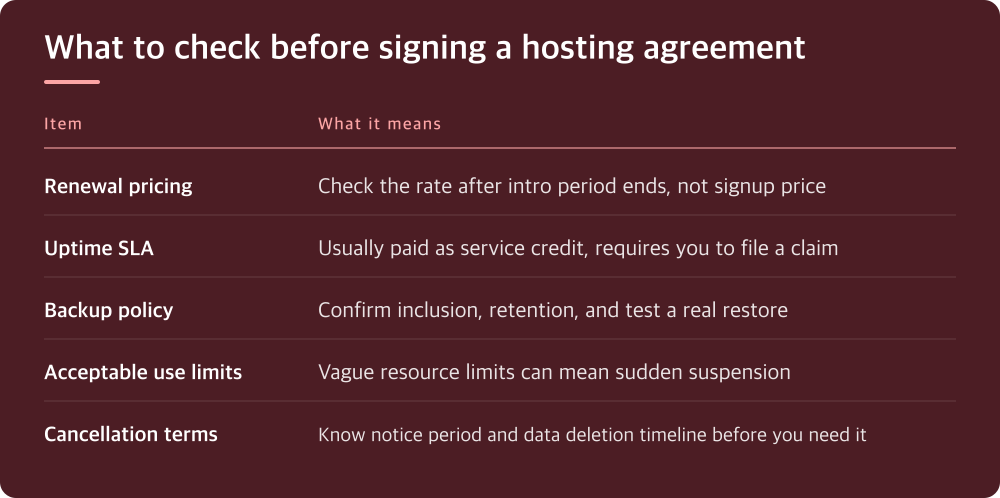
The renewal price is not the price you’re paying today
Most hosts advertise an introductory rate and quietly switch you to a higher renewal rate after the first term. This isn’t hidden exactly, it’s usually disclosed, but it’s disclosed in a place you weren’t looking.
Find the billing or terms page and look specifically for renewal pricing, not the signup price shown on the homepage. Compare that renewal rate against competitors’ renewal rates, not their intro rates, because that’s the number you’ll actually pay long term.
Also check how far in advance they notify you before auto-renewing, and whether they auto-renew into multi-year terms. Some hosts make it easy to turn off auto-renew; others bury the toggle three menus deep.
Uptime guarantees usually pay you in credit, not cash
An uptime guarantee sounds reassuring until you read what happens when it’s broken. In most cases the remedy is a service credit toward future hosting, applied only if you file a claim within a specific window, not an automatic refund.
Check the SLA section for three things: how downtime is defined and measured, who’s responsible for proving it happened, and the deadline for filing a claim. Some hosts require you to submit ticket numbers or monitoring logs as evidence.
This matters less for the money and more as a signal. A host that writes a vague, hard-to-invoke guarantee is telling you something about how they handle disputes generally.
Backups only count if you have tested a restore
Terms often say backups are provided “as a courtesy” or “without guarantee of availability.” That phrase means if their backup system fails the day you need it, you have no contractual recourse.
Look for whether backups are included in your plan tier or sold as an add-on, how often they run, how long they’re retained, and whether restoring one is self-service or requires a support ticket. Some panels let you trigger a restore yourself in a few clicks; others make you wait on a queue.
Don’t take any of this on faith. Once you’re set up, actually run a test restore to a staging area if the host allows it. If you can’t tell whether your backups work, you don’t have backups, you have a hope.
The acceptable use policy decides whether you can get suspended without warning
Acceptable use policies list what kinds of traffic, content, or resource usage can get an account suspended. Shared hosting plans in particular often include vague language about not consuming “excessive” CPU or bandwidth without defining what that means numerically.
If your site does anything resource-intensive, look for specifics: scheduled tasks, large media libraries, high email volume, or any kind of scraping or automated requests. Vague limits mean the host can suspend you first and explain later.
Check also whether suspension is immediate or preceded by a warning and a chance to fix the issue. A host that commits to notifying you before suspension is giving you something concrete to rely on.
Cancellation and data export terms tell you how trapped you’ll be
Read the section on what happens when you cancel or when your term ends. Some hosts delete your data and backups within a short window after cancellation; others hold it longer. Either way, know the clock before you need to race it.
Check whether account cancellation is self-service in the panel or requires contacting support, and whether there’s a minimum notice period. Multi-year plans sometimes require written cancellation requests sent a set number of days before renewal, or you’re billed again automatically.
Also check for early termination fees if you’re on a contract term and want to leave before it ends, and whether partial refunds are prorated or forfeited entirely. This is the section that determines how expensive it is to admit a mistake.
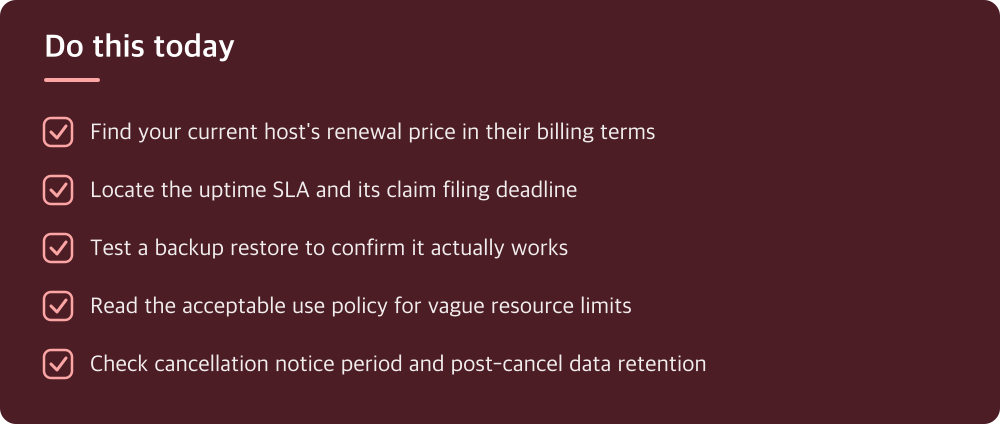
What to do today
Pull up your current host’s terms of service, SLA, and acceptable use policy right now, even if you’re not switching. Note the renewal price, the backup policy, and the cancellation notice period in one place so you’re not hunting for them during a crisis.
If you’re evaluating a new host, open their terms pages in a separate tab before you enter payment details. Compare the same four or five items across each candidate: renewal pricing, uptime remedy, backup ownership, suspension triggers, and cancellation terms.
None of this takes more than twenty minutes per host, and it’s the twenty minutes that prevents the worst surprises. The providers worth using are the ones whose terms hold up when you actually read them.
Do this today
- Find your current host’s renewal price in their billing terms
- Locate the uptime SLA and its claim filing deadline
- Test a backup restore to confirm it actually works
- Read the acceptable use policy for vague resource limits
- Check cancellation notice period and post-cancel data retention
※ This is informational and not a recommendation of any specific product or company.