

You’re staring at a WordPress theme decision and someone on your team suggested a page builder. Before you install another plugin that touches every page on your site, figure out if you actually need it or if you’re about to trade speed and stability for drag-and-drop convenience.
The real cost is not the plugin, it’s everything it loads on every page
Page builders don’t just add a plugin, they add a framework. Most ship their own CSS and JavaScript libraries, icon sets, and animation engines that load on every page whether that page uses them or not. This is the part people miss when they compare builders by feature list instead of by what happens in the browser.
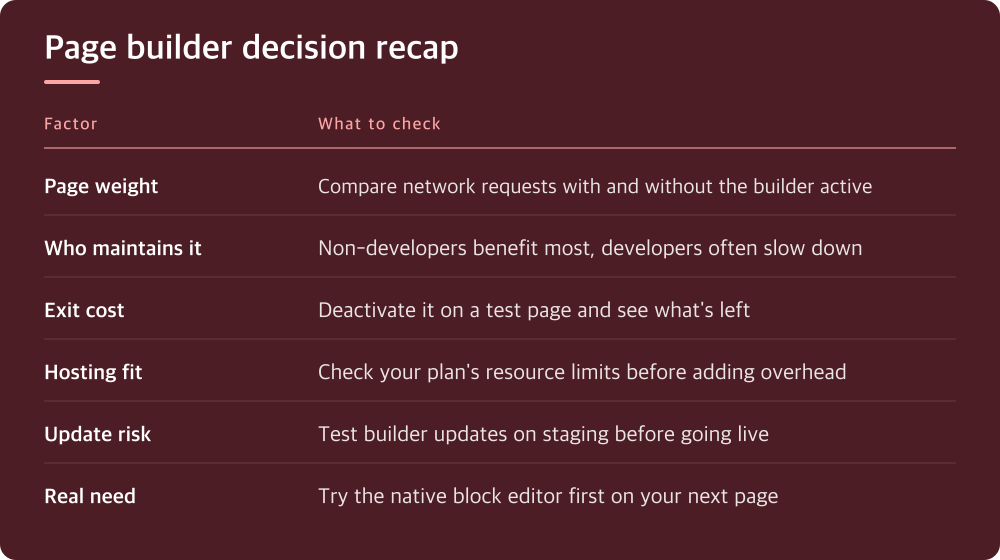
Open your browser’s dev tools and look at the network tab on a page built with one of these tools versus a plain template. Count the requests, check the total page weight, and look at how much of that is builder overhead versus actual content. If you don’t know how to do this yet, it’s worth ten minutes before you commit to a tool you’ll be stuck with for years.
The tradeoff is real: builders save you development time up front. They cost you performance over the life of the site. Whether that’s a good trade depends entirely on who’s going to maintain the site and how much your traffic cares about load time.
Ask who actually has to touch this site in six months
A page builder makes sense when the person updating the site isn’t a developer and won’t be hiring one. If you’re handing a site to a client, a marketing team, or a volunteer who needs to swap out images and rearrange sections without touching code, the builder earns its weight immediately.
If you’re the developer and you’re comfortable with a theme’s block editor or custom templates, a builder often slows you down. You’re fighting its opinions about markup, its shortcode soup in the database, and its own update cycle on top of WordPress core and your theme.
Be honest about which camp you’re in. A lot of builder regret comes from developers installing a tool meant for non-developers, then resenting the bloat they added for a convenience they didn’t need.
Test how hard it is to leave before you decide to stay
Every page builder locks content into its own format to some degree. Some use shortcodes, some use custom blocks, some generate markup so builder-specific that disabling the plugin turns your pages into a wall of unstyled text. Before you build anything real, build one throwaway page and then deactivate the builder to see what’s left.
This test tells you more about long-term risk than any feature comparison. A builder that degrades gracefully, leaving behind readable if plain content, is a very different commitment than one that leaves nothing usable. You’re not planning to leave today, but plugins get abandoned, acquired, and deprecated, and you want to know your exit cost in advance.
Check how the builder stores its data. If it’s keeping content in a proprietary format in post meta rather than in the normal content field, that’s a flag worth noting, not necessarily a dealbreaker, but something to factor into the decision.
Performance problems from builders are usually fixable, but check before you blame the tool
A lot of builder slowness is actually bad implementation: unoptimized images, excessive animations, stacking too many modules on one page, or a hosting plan that can’t handle the extra PHP processing. Before writing off a builder as too heavy, test a simple page built with it against your hosting’s baseline performance.
Run the same page through a browser performance panel or a free page speed testing tool, both as a bare page and as a heavily designed one. The gap between those two numbers tells you how much of the weight is the builder’s baseline cost versus how much is design choices you can control.
If your hosting plan is already stretched thin, a builder’s extra processing overhead will show up fastest there. This is a case where the hosting conversation and the builder conversation aren’t separate, they’re the same conversation, and it’s worth checking your host’s resource limits before adding more software layers.
Updates and compatibility are where builders quietly cause the most damage
Page builders tend to have frequent updates, and those updates occasionally change how existing pages render. A layout that looked fine last month can shift after an update to the builder, the theme, or WordPress core itself. This is a maintenance cost that doesn’t show up when you’re evaluating the tool, only after you’ve built dozens of pages with it.
Before updating a builder on a live site, test it on a staging copy first. Most hosts provide a staging environment in their control panel, and if yours doesn’t, that’s worth factoring into your hosting decision too. Updating blind on a production site is how builder horror stories happen.
Also check how actively the builder is maintained and how it handles compatibility with your specific theme and other plugins. A builder with a small but consistent update history is often a safer long-term bet than one with flashy features but a spotty changelog.
What to actually do before your next project
Don’t decide on a page builder in the abstract. Decide on it against the specific site in front of you: who maintains it, what your hosting can handle, and how fast it needs to load. The right answer changes project to project, and that’s fine.
If you’ve been defaulting to a builder out of habit, try building your next simple page without one using your theme’s native block editor. If that gets you most of the way there, you’ve just avoided adding a dependency you didn’t need. If it falls short on something your team genuinely requires, that’s your real case for the builder, not convenience or habit.
Do this today
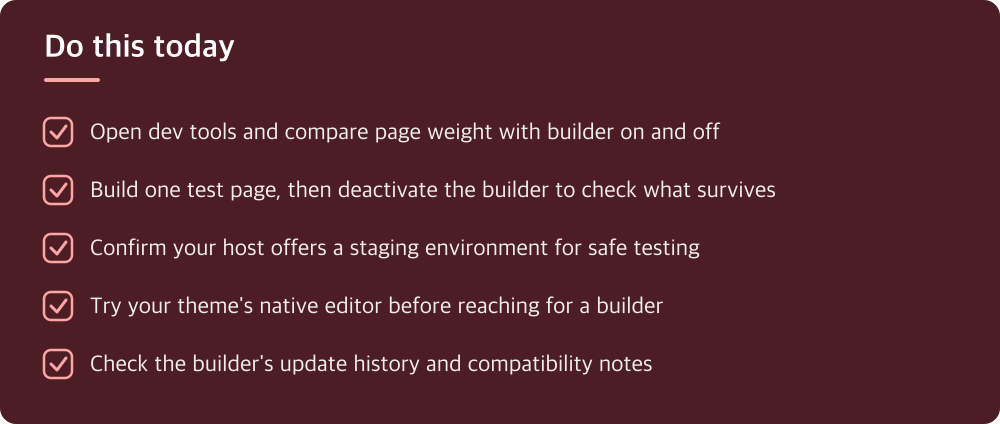
- Open dev tools and compare page weight with builder on and off
- Build one test page, then deactivate the builder to check what survives
- Confirm your host offers a staging environment for safe testing
- Try your theme’s native editor before reaching for a builder
- Check the builder’s update history and compatibility notes
※ This is informational and not a recommendation of any specific product or company.