
If you can’t answer right now, off the top of your head, exactly who can log into your site and what they can do once they’re in, you have an access problem. This isn’t a one-time setup task — access sprawls quietly over time, through old contractors, forgotten plugins, and admin accounts nobody remembers creating.
You probably have more admins than you think
Every site that’s been live for more than a year accumulates accounts. A developer you hired once, a former employee, an agency that built your site three redesigns ago — these accounts rarely get removed, they just get forgotten.
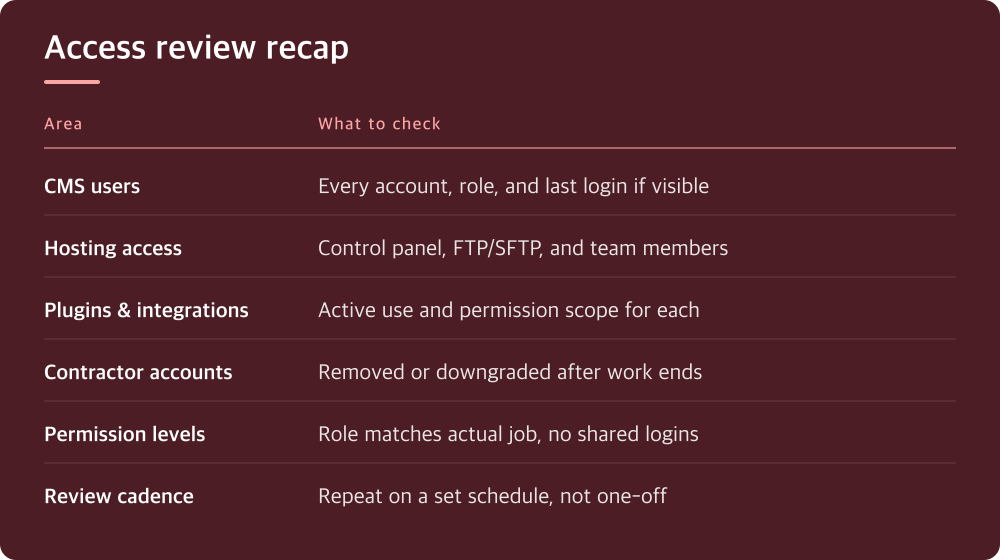
Start by pulling the full user list from your CMS or hosting control panel and actually read it line by line. Don’t skim for names you recognize; look for accounts you can’t immediately explain. If you’re on WordPress, check Users > All Users and sort by role, then by last login date if your setup tracks that.
The uncomfortable part of this exercise is that you will find accounts you have no memory of creating. That’s normal. Write them down separately — you’ll deal with them in a later step — and keep going through the full list first.
Site access and hosting access are two different problems
Reviewing your CMS user list only covers half the picture. Your hosting account, control panel, FTP/SFTP credentials, and database access are a separate layer, often with a completely different and much smaller list of people who remember it exists.
Log into your hosting provider’s dashboard and look for a users, team, or account access section — the exact location varies by provider, so check your provider’s account or security settings menu if it’s not obvious. Many hosts also let former resellers or agencies retain some level of access even after a project ends, which is easy to overlook.
Don’t forget FTP and SFTP accounts specifically. These are often created for one-off tasks — a one-time migration, a theme install — and then never revoked. Check your hosting panel’s FTP management section for a full list of active credentials.
Plugins and integrations count as access too
Access isn’t limited to human logins. Every plugin, theme, and third-party integration that connects to your site has some level of access, and many of them ask for far more permission than they need.
Go through your installed plugins and ask, for each one, whether it’s still in active use and whether you recognize why it needs the permissions it has. Anything connected to an API key, a webhook, or an external service should get the same scrutiny as a human user account.
Pay particular attention to anything related to backups, security scanning, or analytics — these categories tend to need broad access to function, which also makes them a bigger risk if the plugin itself is abandoned or compromised. If you don’t recognize an integration or can’t remember installing it, that’s a signal to investigate before you decide whether to keep it.
Old contractor accounts are the most common gap
The single most common finding in an access review is a contractor or freelancer account that was never removed after the work ended. This isn’t usually malicious — it’s just that offboarding a person from a project rarely includes a formal checklist for revoking site access.
Cross-reference your user list against your actual current team and any active contracts. If someone’s engagement ended months ago and their account is still active with admin-level permissions, that’s a finding, not a formality.
The fix is straightforward once you’ve identified these accounts: remove them or downgrade their role immediately, rather than waiting for a ‘better time.’ There isn’t a better time — every day that account stays active is a day of unnecessary exposure.
Permission levels matter as much as the account list itself
Finding every account is only step one. The second question is whether each person’s permission level actually matches what they need to do. Someone who only edits blog posts doesn’t need full administrator access, and someone who manages plugins doesn’t necessarily need database access too.
Most CMS platforms and hosting panels offer role tiers below full admin — editor, contributor, or custom roles with limited scope. Check your platform’s role or permissions settings to see what’s available and whether your current assignments actually use them.
This is also the moment to check for shared logins. If multiple people are using one account and password, you have no way to know who actually did what, and no clean way to revoke access for just one of them. Individual accounts with appropriate roles solve both problems at once.
Turn this into a recurring habit, not a one-time cleanup
Doing this review once feels productive, but access sprawl comes back the same way it built up in the first place — one forgotten account at a time. The real fix is putting a recurring check on your calendar, not treating today’s cleanup as a permanent fix.
A quarterly review is a reasonable starting cadence for most small sites; adjust based on how often your team or contractor relationships change. The review itself gets faster every time you do it, because you’re mostly just checking for new entries against a list you already trust.
Today, though, the priority is finishing the audit you just started: get the full list of human accounts, hosting-level access, and connected integrations in front of you, and remove or downgrade anything you can’t immediately justify. Everything else can wait until your next scheduled review.
Do this today
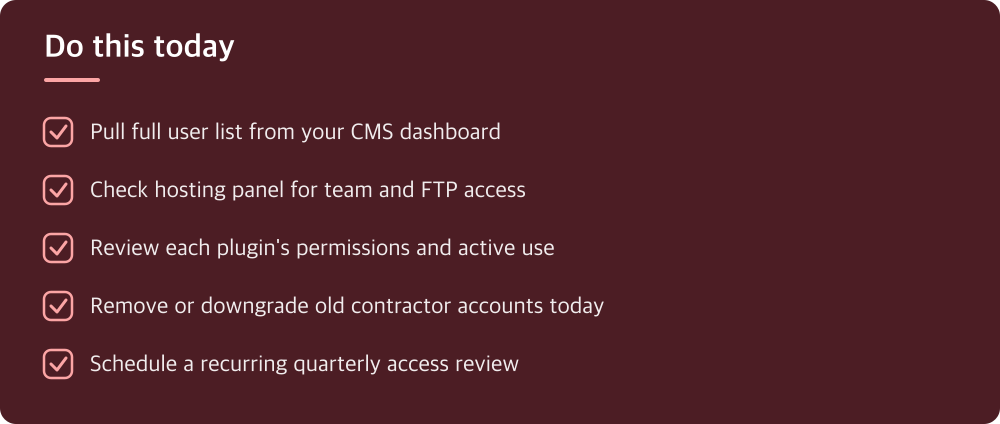
- Pull full user list from your CMS dashboard
- Check hosting panel for team and FTP access
- Review each plugin’s permissions and active use
- Remove or downgrade old contractor accounts today
- Schedule a recurring quarterly access review
※ This is informational and not a recommendation of any specific product or company.