
You know you’re supposed to update plugins and themes, but you’ve also heard the horror stories about an update taking down a site with zero warning. Both things are true, which is why ‘just click update’ isn’t a real strategy.
The risk isn’t updating, it’s updating blind
Every plugin or theme update changes code that’s already running on your live site, interacting with your specific combination of theme, other plugins, and PHP version. Nobody tested that exact combination before releasing the update. That’s the actual source of risk, not the update itself.
Sites that never update are not safer, they’re just delaying the crash and adding a security hole while they wait. Old, unpatched software is one of the most common ways sites get compromised. So the goal isn’t to avoid updates, it’s to update in a way that gives you an exit if something breaks.
A staging copy is what turns ‘hope it works’ into a real test
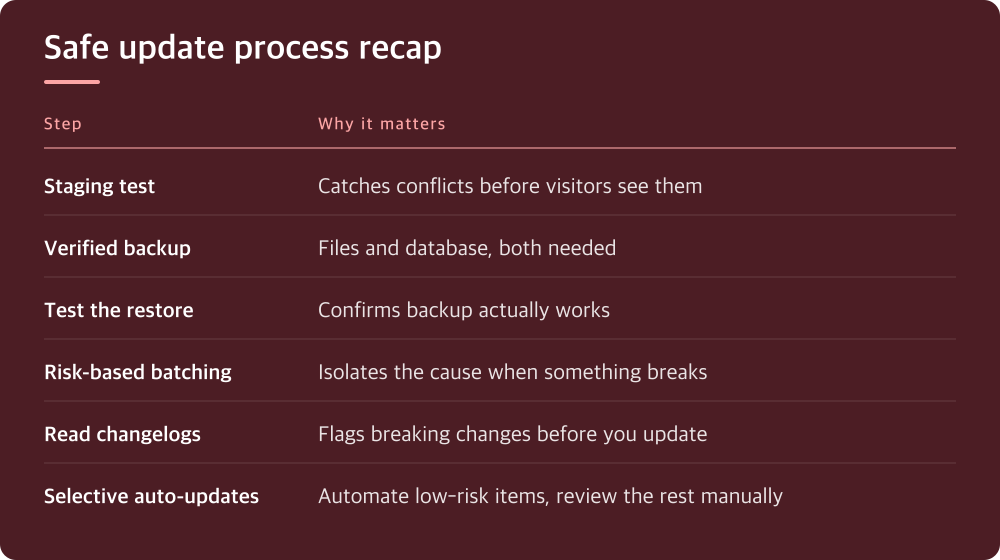
Most hosting control panels now offer a one-click staging site, a clone of your live site where you can run updates first without touching anything visitors see. Check your host’s dashboard for a ‘staging’ or ‘dev site’ option; if it’s not obvious, their support docs or chat will tell you where it lives.
The workflow is simple: clone to staging, run the updates there, click around the pages and features that actually matter to your business, then push the change to production once you’re confident. This takes maybe fifteen extra minutes and it’s the single biggest difference between people who update calmly and people who update in a panic.
If your host doesn’t offer staging, a local copy on your own machine or a subdomain you control works too. The point is having somewhere to break things that isn’t the site your customers are looking at right now.
A backup you haven’t restored is a backup you don’t actually have
Before any update batch, confirm you have a current backup and that it includes both files and the database. Plugins that store settings in the database will not be saved by a files-only backup, and that gap is where people get burned.
The part everyone skips is testing the restore itself. A backup that fails to restore is worse than no backup, because you find out at the worst possible moment. Pick a quiet afternoon, restore to a staging environment, and confirm the site actually comes back the way you expect.
Check your hosting plan or backup plugin for how far back backups go and how they’re stored, since this varies a lot by provider. Know the answer before you need it, not while your site is down.
Batch by risk, not by convenience
Not all updates carry the same risk. A minor WordPress core update is usually low-risk. A major version jump in your theme, or a plugin that touches checkout, forms, or SEO, is higher risk and deserves its own dedicated test pass rather than being lumped in with everything else.
Read the changelog before updating, especially for anything flagged as a major version change. Developers usually note breaking changes or new requirements there, and five minutes of reading can save you an hour of debugging afterward.
Update one risky item at a time when you can. If you update ten plugins simultaneously and something breaks, you’re now debugging ten possible causes instead of one.
Auto-updates are a tool, not a policy you set once and forget
Most plugin and theme dashboards let you turn on automatic updates per item, and some hosts offer managed auto-updates with built-in testing or rollback. This is genuinely useful for low-risk, frequently-patched items like security plugins, where waiting for you to notice a patch is its own risk.
But auto-updates on everything, all the time, is how sites break at 3am with nobody watching. Reserve manual review for anything central to how your site makes money or handles user data: your theme, your commerce plugin, your form or membership tools.
Whatever mix you choose, make sure you’re actually notified when updates happen. A silent auto-update that broke something three weeks ago is much harder to trace than one you watched happen this morning.
What to actually do today
Stop treating updates as an occasional chore and start treating them as a short recurring process: check for a staging option, confirm your backup and test-restore it once, then work through updates in order of risk rather than all at once. This takes less time than fixing a broken site, and it’s not close.
Pick one day this week to do the backup restore test if you haven’t done one in the last few months. It’s the single step people skip most and the one that matters most when something goes wrong.
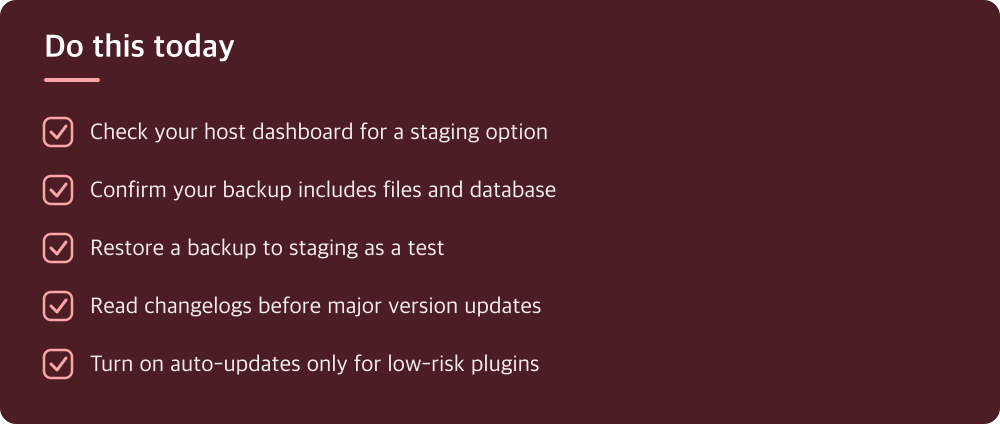
Do this today
- Check your host dashboard for a staging option
- Confirm your backup includes files and database
- Restore a backup to staging as a test
- Read changelogs before major version updates
- Turn on auto-updates only for low-risk plugins
※ This is informational and not a recommendation of any specific product or company.