

You’re staring at a pricing page with three or four tiers that all look similar, and the marketing copy isn’t helping. Here’s how to actually parse what you’re buying instead of guessing based on which column is highlighted.
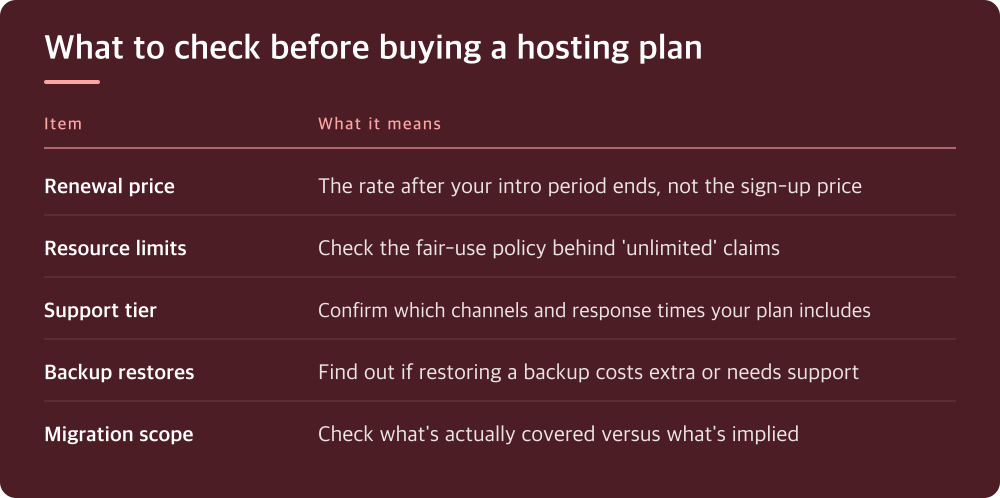
The renewal price is the real price, not the sign-up price
Most hosts lead with an introductory rate that only applies to your first billing cycle. The number you’ll actually pay going forward is usually listed somewhere smaller, often in a footnote or only visible once you select a billing term.
Before you enter payment details, find the renewal price and the renewal term. Some providers lock in low rates only if you commit to multiple years upfront, which changes the math if you’re not sure you’ll stay.
Also check whether the plan auto-renews and how much notice you get before it charges your card again. This is usually buried in the billing section of the provider’s terms, not the pricing page itself.
Resource limits are often vaguer than they sound
Terms like ‘unlimited storage’ or ‘unlimited bandwidth’ almost always come with an acceptable use policy that caps things in practice. The actual limits are typically described in a separate terms-of-service or fair-use document, not on the plan comparison page.
Look for what happens when you exceed whatever the real limit is. Some hosts throttle your site, some charge overage fees, and some suspend the account until you upgrade. That consequence matters more than the headline number.
If the plan lists CPU or memory limits instead of vague language, those are usually more honest numbers to compare, since they can’t be dressed up with marketing words. Compare those directly against your current site’s actual usage, which you can often see in your existing host’s control panel.
Support tiers are not all the same product
’24/7 support’ can mean a live person on chat, or it can mean a ticket queue that’s monitored around the clock with no guaranteed response time. These are very different experiences when your site goes down at 2am.
Check whether phone or live chat support is included at your tier or reserved for higher-priced plans. Many hosts gate the fastest support channels behind their top tier specifically because that’s when people are most willing to pay for speed.
Look for any stated response time commitments, and check if they’re a guarantee or just an aspiration. If there’s a service level agreement, read what you’re actually owed if they miss it, since ‘credit toward your next bill’ is common and not the same as compensation for downtime.
Backups only count if you have tested a restore
Almost every plan mentions backups somewhere, but the details that matter are how often they run, how long they’re retained, and whether restoring one is self-service or requires contacting support.
Some hosts include backups as a selling point but charge extra for the restore itself, which is not obvious until you’re in an emergency and reading the fine print for the first time. Find this out before you need it, not during an outage.
If backups aren’t included at your tier, check what a third-party backup plugin or service would cost on top of the hosting price. That add-on cost should factor into any comparison between plans, since a cheaper base price can lose its advantage once you add this back in.
Migration help is advertised more than it’s delivered
Free migration is a common line item, but check what it actually covers. Some providers migrate one site for free and charge per additional site, and some only migrate specific platforms like WordPress while leaving custom setups up to you.
Ask or search the provider’s documentation for whether migration includes DNS cutover and testing before your old host is cancelled. A migration that leaves your site broken for a few hours while DNS propagates is technically still a completed migration by their definition.
If you’re moving a live site with real traffic, this is worth getting in writing or at least confirming in a support chat before you commit, rather than assuming it works the way the marketing page implies.
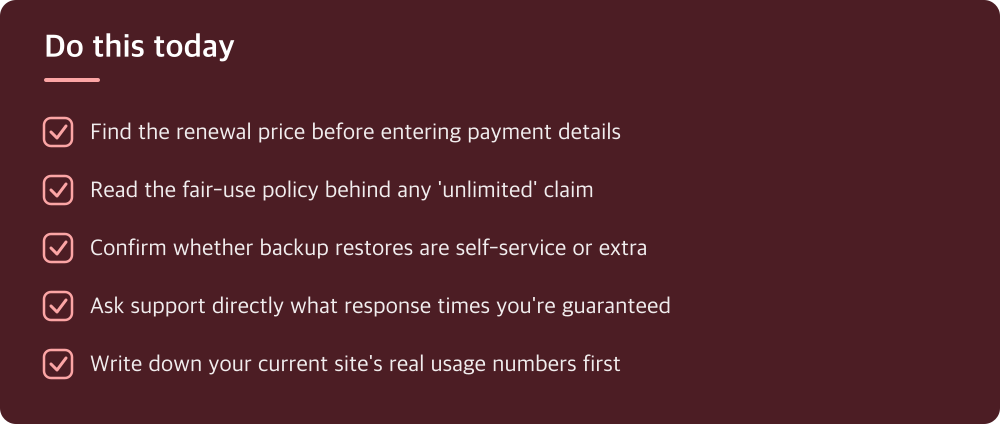
What to actually do before you click buy
Open the plan’s full terms of service and fair-use policy in a separate tab, not just the pricing comparison page. The pricing page is marketing; the terms page is the actual contract.
Write down your current site’s real numbers, storage used, monthly visitors, and average bandwidth, so you’re comparing the new plan’s limits against reality instead of guessing. You can usually pull this from your current host’s control panel or analytics.
If anything about support, backups, or overage policy isn’t clearly stated, ask their sales or support chat directly and save the answer. Verbal promises from a chat window are weaker than anything in writing, so ask them to confirm in an email if it matters to your decision.
Do this today
- Find the renewal price before entering payment details
- Read the fair-use policy behind any ‘unlimited’ claim
- Confirm whether backup restores are self-service or extra
- Ask support directly what response times you’re guaranteed
- Write down your current site’s real usage numbers first
※ This is informational and not a recommendation of any specific product or company.